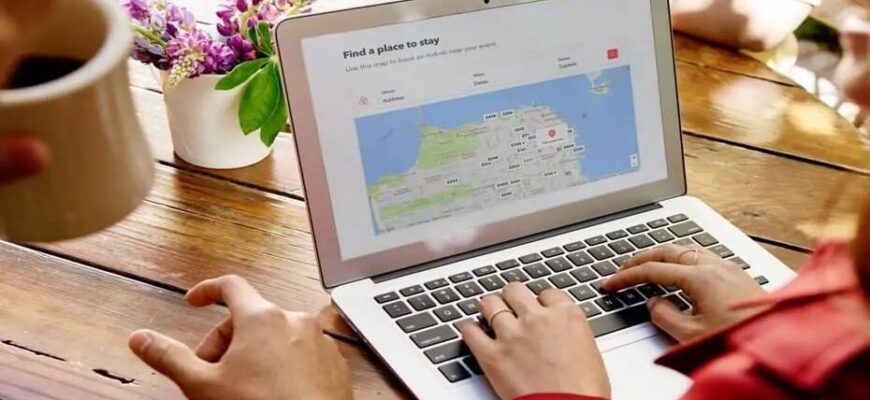
Instructions on how to use Airbnb website to save money on accommodation. Up-to-date information and personal experience using the service since 2012.
Airbnb is an online marketplace for private accommodation around the world. Renting a room, apartment, or even an entire house can be more profitable and comfortable than staying in a hotel. Today, Airbnb hosts over 6 million listings in 191 countries.
Quick Tips
To successfully book on the official airbnb.ua website, you need some experience. Most mistakes are made by new users who haven’t read the rules. Here’s a quick summary of the most important tips to save you time.
- Register on Airbnb using an invitation to possibly receive a discount on your first booking. You don’t have to book right away — the coupon is valid for one year.
- When filling in your details, write your first and last name as in your international passport so that the booking confirmation is suitable for obtaining a visa.
- Complete the profile verification procedure before booking. You need to upload a photo of your passport and your photo.
- When searching for accommodation, set the filters and uncheck “Instant Book” — it reduces the number of options.
- The total cost of stay with all fees is shown when you select dates and number of guests.
- Save your favorite options to “Wish Lists”.
- Do not make a booking without agreement with the host. Click the “Contact host” button and ask if your dates are available, otherwise your money will be charged for the booking which the host may later cancel. The money will be refunded, but you will waste time and worry.
- Write to several hosts at once, ask your questions. Conduct correspondence and pay for the booking only through the Airbnb website. Only in this case do you receive guarantees.
- Pay attention to the cancellation policy. Flexible policies allow you to cancel without penalty up to 24 hours before check-in, moderate up to 5 days in advance. Others have a penalty of 50-100%. Long-term bookings (over 28 days) have their own rules.
- A week-long booking can be more profitable than 5 or 6 days, since many hosts offer a discount of up to 25%, which is applied automatically. For other discounts, you need to ask individually in correspondence. The host can make you a “special offer”. When choosing options, read reviews. The best properties have a high rating, and hosts have a “Superhost” badge. A concerning factor may be records of the host canceling bookings.
- Upon successful booking, the total amount for your stay will be charged (blocked) from your card; the host receives the money 24 hours after check-in. If something goes wrong, call Airbnb support immediately. To add guests to the Booking, enter their last names after payment; they will appear on the Airbnb receipt.
- Look for answers to your questions in the Airbnb Help Center by keyword.
$53 for your first trip
To receive an Airbnb coupon worth $53 for your first trip, follow our invitation and register.
You can use the coupon for a booking of at least $70 (excluding taxes and fees). The minimum booking amount and bonus size may change, read the promotion terms on the day of registration and payment. If the booking meets the conditions, the Airbnb discount coupon will automatically appear on the payment page. The bonus is valid for 1 year. Register on Airbnb and get a discount on your first booking while the promotion is active.
You cannot apply the coupon to a confirmed booking; use it next time. If the host cancels the booking, the coupon will be returned. If you cancel, the bonus will be forfeited.
Airbnb Profile
How to fill out your profile
Filling out your profile is an important step that determines how willing hosts will be to communicate with you and accommodate you on financial matters. Since private housing is rented out through Airbnb, hosts decide for themselves who they want to rent their property to. Individuals aged 18 and over can create an account, book accommodation, and host guests on Airbnb.
To make a favorable impression and become a desirable guest, you need to tell a little about yourself and choose a suitable photo.
What language to fill out your profile in
The official language of communication on Airbnb is English, so it is advisable to fill out your profile in English, and if you have difficulties, use a translator. Your first and last name must be written exactly as they appear in your international passport (this will be useful for visa documents). To understand how best to describe yourself, look at other users’ profiles. In the example above is my husband’s Airbnb profile. We travel abroad and around Ukraine, so the text is written in two languages.
Profile filling tips
- Photo. Your photo should be real (not an animal or landscape). Smiling faces look good, not passport photos. Think about what kind of person a typical host wants to see: neat, friendly, and reasonable. For the main photo, it is advisable to choose a clear, large photo without sunglasses — this will make it easier to verify your Airbnb profile. You can add several photos and record a video.
- Indicate your profession. Indicating a serious profession, such as a doctor, makes a good impression. But don’t invent anything, because every person has something interesting besides work (family, hobbies) — write about that. The main principle is short and optimistic.
- Recommendation. To increase trust in your profile, new members can ask their friends to write them a recommendation. The friend who recommends you must be registered on Airbnb. UPD: you can no longer add recommendations. If you have already received them, they will remain on your profile.
Young people aged 18-25 should pay special attention to filling out their profile. Many hosts are reluctant to rent their homes to students and young people, fearing inappropriate behavior and damage. Choose your photo and write your description as if you were preparing for a job interview or meeting your partner’s parents.
Your profile does not display email addresses, website names, or phone numbers, so do not write this in your story about yourself; fill out the contact information fields during registration.
Profile verification
Airbnb’s user identification requirements have changed significantly since the service was created. While previously it was enough to provide an email when registering on the Airbnb website, now you must go through a profile verification procedure. Why is this done? To minimize risks and increase trust between hosts and guests. Without profile verification, you cannot make a booking!
To verify your Airbnb profile, go to “Edit profile” and select “Trust and verification“. Email address and mobile phone are usually verified quickly. Social connections can only be checked for Facebook, Google, or LinkedIn.
Your Airbnb profile photo must be clear and recently taken (it will be compared with the photo on your documents).
The last stage of identification is uploading an official document. Acceptable documents: passport or driver’s license. Prepare and edit a photo of the document in advance and save it on your computer. You can also take a photo via your computer’s camera or phone in the mobile app.
After uploading the photo of your official document, you may be asked to take a selfie which will be compared with the photo on your document.
After successfully completing all steps, a green “Verified” badge appears.
Why verify your profile? To use the Airbnb website — the world’s largest accommodation booking system — and save money. Hosts are also asked to go through identification. When a person sees that your profile is verified, it is easier for them to decide in your favor, to give you a discount.
Since there can be problems with profile verification, do this in advance.
How to book on the Airbnb website
The Airbnb website is easy to use; there is a Ukrainian version and an Airbnb mobile app. You can view accommodation options without registration by entering the city name, dates, and number of guests, but it’s better to register immediately using our invitation to possibly receive a discount on your first booking (valid for one year) and go through the profile verification procedure.
Search by parameters
There are often many rental listings, so immediately refine your search by parameters: type of place, price, neighborhood, amenities. The most popular type of accommodation is an entire apartment. Important selection criteria may include the number of bedrooms and beds, availability of a kitchen, internet, washing machine, air conditioning, heating, elevator…

Selecting options and creating a wish list
- Reviews. Guests rate the accommodation where they stayed and write reviews — you should pay attention to this information first. From reviews you can learn many important details, for example: whether the apartment is warm in winter, how the shower works, where the bedroom windows face. The best options have a “5-star” rating, and their hosts have a Superhost badge (medal).
- Description and policies. By going into a specific listing, you can read detailed information about that accommodation. Important price components: extra guest fee, cleaning fee, cancellation policy. The “amenities” section lists everything available in the rental property. Hosts describe their requirements for guests in the “House rules” section.
- Photos. Look carefully at all the photos; the more there are, the better. Photos taken by Airbnb photographers have a “Verified photo” caption, which increases trust in the information provided.
- Neighborhood. The exact address of the accommodation is not provided in the listing; you will be given it after booking, but you can see the neighborhood on Google Maps.
- Calendar. Hosts fill in a calendar of available and booked dates, which is not always up to date (each host’s profile shows how quickly they respond and how often they update their calendar). Looking at the calendar, you can get an idea of how popular the property you are interested in is. If you request dates that border on already occupied ones, it is advantageous to the host, and they are more likely to confirm the booking and make price concessions.
- Price. Enter your check-in and check-out dates and the number of guests. Infants (children under 2 years old) do not increase the guest count when booking, so no extra fee is charged for their stay. The final price is displayed, with a breakdown of all components: including Airbnb service fees and additional charges.
- Wish list. Add all the options you like to your wish list so you can easily find them later. Name the collection after the city, for example, “Prague”. You can add notes to properties, marking pros and cons, the final price, and anything else that attracts your attention or raises questions. Such a list makes it very easy to remember each viewed option and make a final selection.
The displayed listings do not mean that all these options are 100% available on your desired dates. To find out the details, you need to enter into correspondence with the host.
Message to the host
After the preliminary selection of Airbnb listings, you need to start corresponding with hosts and discussing terms. Do not press the “Book” button without receiving a response! Instant booking is only possible for listings marked with a “lightning bolt”.
By default, the language of correspondence is English (the languages spoken by the host are indicated in their profile); the Airbnb website offers automatic translation. If communication in your language is an important criterion for you, select the host’s language in the filters, but this will significantly reduce the number of options. In Eastern European countries, you can find Russian-speaking hosts. If you are booking accommodation in Ukraine, you will, of course, correspond in Ukrainian.
You can write to the host via the “Contact host” link on the listing. In your message, tell them about your plans (when and with whom you are traveling) and ask all your questions. It is especially important to agree on check-in and check-out times before booking if you plan to arrive at a non-standard time.
Send messages to several hosts at once. Most responses come within a few hours or the next day. Many international hosts do not respond on weekends — just keep that in mind and wait a little. Install the Airbnb mobile app, and you will receive all notifications in real time.
Special offer
If the season is not high and your stay period is long, there is a possibility to negotiate a discount. Name your price or wait for a counter-offer. Not all hosts make concessions; it depends on the demand for the particular property and the owner’s willingness. For a booking period of a week or more, a discount is usually already indicated.
If the host offers you a discount, a “Special offer” with the new price will appear on your correspondence page, and you can book at that price. When making a decision, hosts look at your profile; it’s very good if it already has positive reviews, but these will only appear after your first trip through Airbnb.
Pre-approval of booking
If your desired dates are available, the host sends a “pre-approval”. Make your decision and click the “Book” button. Be sure to notify all hosts of the apartments you inquired with that you have made your choice.
You should continue corresponding with the host of the booked accommodation: inform them of your arrival time, find out the best way to get to the location. If you booked accommodation well in advance, be sure to write to the host again on the eve of your arrival (Airbnb will remind you about your upcoming trip).
Do not try to cheat Airbnb by making a direct arrangement with the host. Until you pay for the booking, your contact details will be hidden, and your correspondence will not show email, phone number, or website name; moreover, the host can report you. Sometimes the opposite happens, when the host himself offers you to pay him money bypassing Airbnb — keep in mind that such “savings” increase the risk of being cheated. Booking through Airbnb is beneficial for both parties.
Payment for accommodation
Payment methods. If the booking is confirmed, you will be charged 100% of the accommodation and service fees. In Ukraine, you can pay by bank card.
Payment information. Enter your bank card details and fill in the billing address. The bank card can be debit, credit, yours, or belonging to another person paying for the booking. The billing address is your home address with a postal code.
Partial prepayment. A partial prepayment function is available for most listings. When you use it, part of the booking cost (usually 50%) is paid immediately, and the remaining amount is automatically charged at a later date. Airbnb sends a reminder email 3 days before the second payment. You can pay for the entire booking at once by selecting this option at the payment stage.
Long-term bookings (over 28 days) are paid in installments. During booking, you will be charged a prepayment for the first month; the remaining funds will be charged monthly in the same way.
Currency conversion. To avoid conversion through the Airbnb website, pay for your stay in the host’s currency. Most often the host’s currency is euro or dollars. It is more advantageous to pay with a card in the same currency, but if you only have hryvnia cards, the bank’s exchange rate will still be better.
After payment, you will receive a confirmation email with booking details: the accommodation address, the host’s phone number and email. Save this information. In addition to the booking confirmation, Airbnb sends an electronic payment receipt.
The host receives the money 24 hours after the guest checks in, so if something goes wrong during check-in, immediately call or write to the Airbnb Help Center before the money is transferred!
Compensation or refund. Significant factors for compensation or refund include the accommodation not matching the description on the site (missing stated furniture or amenities, not cleaned, unsafe). All this must be photographed and justified. A host canceling the booking may also be grounds for a refund, in which case the standard procedure applies.
Airbnb booking confirmation for visa
Airbnb booking confirmation is suitable for obtaining a visa independently at most consulates. Enter the names of all guests exactly as they appear in their international passports during booking; then they will appear on the receipt, which can be printed directly from the site and is also sent by email.
Airbnb receipt
The Airbnb receipt contains all the necessary information: guest names, accommodation address, check-in and check-out dates, and information about 100% payment. If, in addition to the Airbnb receipt, you need proof of payment with a bank statement, then you need to book with strict cancellation policies so that the money is debited from your account immediately (such a booking cannot be cancelled).
How to add guests
You can add the names of all guests and the company name to the Airbnb receipt yourself until the check-out date. It is better to add guests during the booking process. After payment, enter the contact details: first name, last name, and email address of each guest — this information will appear on the receipt. If your guest is registered on Airbnb, use the same email address, then this trip will be synchronized with their profile.
Canceling a booking
Cancellation of an Airbnb booking can be initiated by the guest or the host. Cancellation is a rare occurrence, as it benefits no one, but if it does happen, you need to know the terms. Cancellation policies allow you to modify a booking before or during your stay.
Cancellation by guest
If your plans change and you will not be able to use the accommodation booked through Airbnb, go to your booking and click the “Cancel” button. Before confirming the action on the site, read about the cancellation terms and penalties.
The refund amount depends on the cancellation policy set by the host. The Airbnb service fee is refunded up to 3 times a year if the guest cancels the booking before the start of the trip. The host can see the number of bookings canceled by the guest over the past 12 months and draw conclusions.
Cancellation policies
- Flexible policy allows you to cancel up to 24 hours before check-in, so it is best to choose accommodation under these terms.
- Moderate policy is also quite lenient, allowing penalty-free cancellation up to 5 days before check-in.
- Strict with grace period policy allows free cancellation within 48 hours of booking confirmation and no later than 14 days before arrival. After that, if cancellation occurs no later than one week before check-in, you lose 50% of the amount.
- Strict policy immediately imposes a 50% penalty upon cancellation, but only if it is made no later than 7 days before check-in.
- Super strict 30 or 60 days apply in special cases. You can cancel such a booking 30 or 60 days before check-in with a 50% refund.
- Long-term policy applies to stays of 28 days or more; upon cancellation, the first payment is non-refundable.
Airbnb may take into account extenuating circumstances that caused the guest to cancel. The issue of reimbursement is decided individually upon submission of documents. “I rescheduled my vacation” is not an argument.
We have canceled a booking made under a flexible policy due to changes in plans. As Airbnb requests, we wrote a message to the host; she thanked me for the timely cancellation and wished us all the best. The full amount was refunded the next day.
Altering a booking
If you have already paid for the booking but want to make changes before check-in (change the number of guests, dates), send a request to the host via the “Change or cancel booking” button. The host can confirm, decline, or ignore the changes.
If you have checked in but decide to leave early, your money will be refunded according to the booking terms:
- Flexible — accommodation fees are fully refunded for the remaining days after 24 hours from the official cancellation notice.
- Moderate — 50% of accommodation fees for unused days are refunded.
- Strict — money for unused days is not refunded.
Cancellation by host
This is a situation that does not depend on you at all. Airbnb refunds the guest the entire booking amount, including the service fee. Of course, a host cancellation is always unexpected and unpleasant, but it happens rarely. Good hosts value their reputation, but various life situations and circumstances can arise.
In all the time since 2012, our bookings have been canceled twice, in both cases about a month before check-in. The information immediately arrives by email, the message from Airbnb says: “Don’t worry! We’ve already processed a full refund for the amount … we process refunds immediately, but it may take up to five business days for the amount to appear in your account. Book another place to stay.” Once Airbnb sent a discount coupon that can be applied to a new booking.
Never cancel a booking yourself at the host’s request! There are cases where the host writes in a personal message that they cannot host you and asks you to cancel. If it is their initiative, then they should cancel the booking on the site; only then will you receive a full refund. How to find out that a host cancels bookings? Read reviews — a record appears saying “This is an automated message. The booking was canceled by the host … days before check-in.”
When will Airbnb refund my money?
The refund process is initiated as soon as a cancellation is made or changes are accepted. Usually, refunds take 3-5 days, but may depend on the payment method and your bank. The refund information may be shown with the date of the original charge (when the booking was made).
Check-in and Check-out
Since accommodation booked through Airbnb is not a 24-hour hotel with a reception desk, you need to arrange the meeting with the host. If the host has set fixed arrival and departure times, this information will be indicated in the description of the selected property; if not, agree on the time before booking. It is especially important to obtain the host’s consent if you have an early or late check-in.

Check-in
Most hosts prefer to meet the guest in person, hand over the keys, and show the accommodation. You may also be met by a relative or trusted person who manages the property on behalf of the host. Coordinate all meeting details, indicate your flight arrival time, find out the best way to get to the location, the building entrance number, and the door code. You may be asked to contact them one hour before arrival (send an SMS, message via messenger, or call).
Self check-in is most often offered by host-agents. You will be sent detailed instructions on how to enter the accommodation, a code for a digital lock or a lockbox. This method of check-in and check-out is convenient in terms of saving time but excludes personal communication.
Be sure to print out your travel plan with the address and contacts of your accommodation. Correspond with hosts through the Airbnb website so that support can help you in case of a dispute. In the apartment booked on Airbnb, you might be welcomed with gifts: a bottle of wine, fruit, sweets… you can also bring the host a small souvenir — this always helps build relationships.
Check-out
Check-out from the accommodation can also be in the presence of the host or self check-out. In the first case, hosts or trusted persons come at the agreed time and pick up the keys; in the second, you simply leave the keys inside and close the door, or drop the keys in the mailbox/lockbox (by prior arrangement).
Almost always you can agree with hosts on a convenient check-out time; many are accommodating and allow late check-out without extra charge. The hosts’ decision depends on the booking calendar. If the accommodation needs to be prepared for other guests, you will have to check out by 12:00 or earlier, as stated in the house rules. Several times we were allowed to stay much later without extra charge. Communicate with hosts; they are interested in receiving guests and getting good reviews.
Airbnb Help and Contacts
Airbnb provides a safety guarantee and customer service (24/7 support, refunds, document provision).
To contact Airbnb support regarding an issue related to a specific booking, go to the Airbnb Help Center. Through the menu, you can ask the host for help or go to the resolution center. A request is created using your booking number, and the response is sent to the email address provided during registration. Answers to general questions can be found by entering a keyword.
In emergency cases (problems with check-in or stay), you should call.
Airbnb Contacts
Airbnb phone number: +1 855 4247262 (24/7 English language support)
You can send a message via the contact form
Pros of Airbnb
- Large selection of offers and types of accommodation. Airbnb has various housing options: from a private room in a shared apartment to spacious apartments or a house. Even in a small town, you will find Airbnb listings.
- Savings. Thanks to low prices, you can afford to stay in a more expensive neighborhood or extend the number of days. Typically, apartments are equipped with a kitchen, allowing you to save on food. Renting accommodation on Airbnb is especially beneficial for families with children, relatives traveling together — those for whom a standard hotel room is not suitable. By staying in a large apartment with your friends, you split the costs.
- Living conditions. The size of a standard hotel room is 10 m², while Airbnb apartments have much more space. You can choose apartments with a balcony or terrace, high ceilings, panoramic windows, a studio apartment, or a layout with separate rooms. Accommodation on Airbnb can be decorated in various styles; very original and beautiful interior designs are common.
- Communication with the host. You rent an apartment (room, house) from a specific person with whom you can discuss terms before booking. An Airbnb host is your friend in an unfamiliar city; they will answer questions and give useful advice. By staying through Airbnb, you will feel like a local.
How to become a host
Through the Airbnb website, you can not only book private accommodation around the world but also become a host yourself and rent out your apartment, room, or house on a permanent or temporary basis.

Renting out accommodation through Airbnb is convenient because you set the period, prices, rental terms, and choose guests. “I have nothing to rent out; I live in my apartment myself,” you might say, but maybe you have a spare room, and renting it out can help you earn money and meet people from different countries.
Are you going out of town for the whole summer or traveling often? Your property will generate income, pay for your vacation and utility bills. If you have additional housing, renting it out through Airbnb can be more profitable than long-term rental. Airbnb provides guarantees for hosts; you can set your own rules and require a security deposit for property protection.
Posting a listing on Airbnb
To become a host, register on the Airbnb website and receive a welcome bonus immediately. To post your listing, click the “Become a host” button in the top menu and fill in the information about the property and yourself. The contact information you provide is given to guests only after the booking is completed.
Make your listing as attractive as possible, choose a suitable title, write a detailed description, and take good photos. Airbnb offers professional photography services (if available in your region, an “Invite” button will appear next to the listing at the bottom of the page). Take advantage of this opportunity, and in addition to winning photos, you will get a “Verified photo” badge, which increases guest trust.
When choosing options, you can indicate smoking allowed/not allowed, pets allowed/not allowed, suitable for children, etc. After registration, you can change the listing at any time. Read Airbnb’s recommendations: “Why host?”, “Hospitality”, “How to become a responsible host”. Video tips for hosts on how to rent out your apartment on Airbnb (in English).
As of 2026, Airbnb has over 5 million hosts registered in 150,000 cities across 220+ countries, with more than 275 million users. Join now!